Engines and settings
Vernaku uses Chrome’s built-in AI by default; you can also connect Ollama, or DeepSeek, OpenAI and others with your own API key.
The settings page
Settings cover language, theme, translation, read-aloud, writing and learning.
- 1
By default Chrome’s on-device translator is used: free and offline.
- 2
For better results, enable Ollama (local, free) or DeepSeek, OpenAI and others (API key) under “Engines”.
- 3
Before a remote engine is used, Vernaku shows who receives your text and asks for permission.
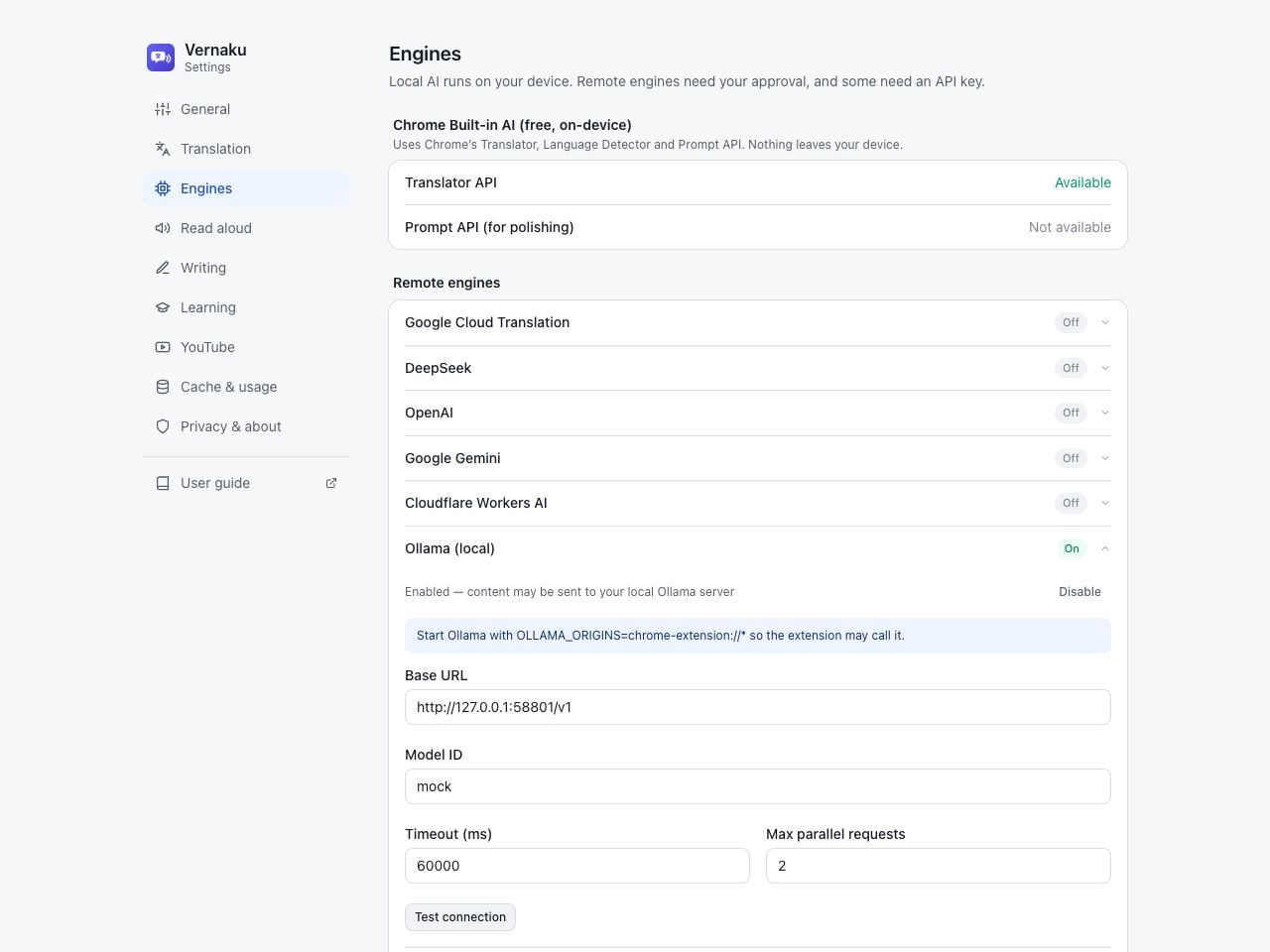
Available engines
Engines differ in cost and ability; you can choose one for translation and one for writing.
- 1
Chrome built-in AI (default): free, runs on your device, needs Chrome 138 or later.
- 2
Ollama: free, runs on your device. Start Ollama with OLLAMA_ORIGINS=chrome-extension://*.
- 3
DeepSeek, OpenAI, Google Gemini, Cloudflare Workers AI: your own API key; translation and writing.
- 4
Google Cloud Translation: your own API key; translation only.
- 5
Custom OpenAI-compatible API: set the base URL, model ID, timeout and concurrency.
Start reading the English internet today
Add to Chrome